Help
Daily Edge is a free trading journal with charts, a paper-trading simulator and a private portfolio tracker. It runs in your browser, with no account, and your data stays on your device. New here? Every page has a short tour. Tap Show tour in the top bar. Look for the ? buttons for quick explanations. Questions? See the FAQ.
JournalChartsPaper tradingShare cardsPortfolioProInstall & offline
📓 Journal: your 60-second daily check-in
- Write a plan before you trade: bias, levels, max loss.
- Tick your rules as you keep them. Edit the list in Settings (free: 3 rules).
- Log trades: symbol, long/short, a setup tag, P&L and R (P&L ÷ what you risked).
- Pick your mood, add a lesson, and tap Complete check-in to keep your streak.
- Check Stats. Pro shows what breaking your rules costs you per trade, plus by-setup and by-mood results.
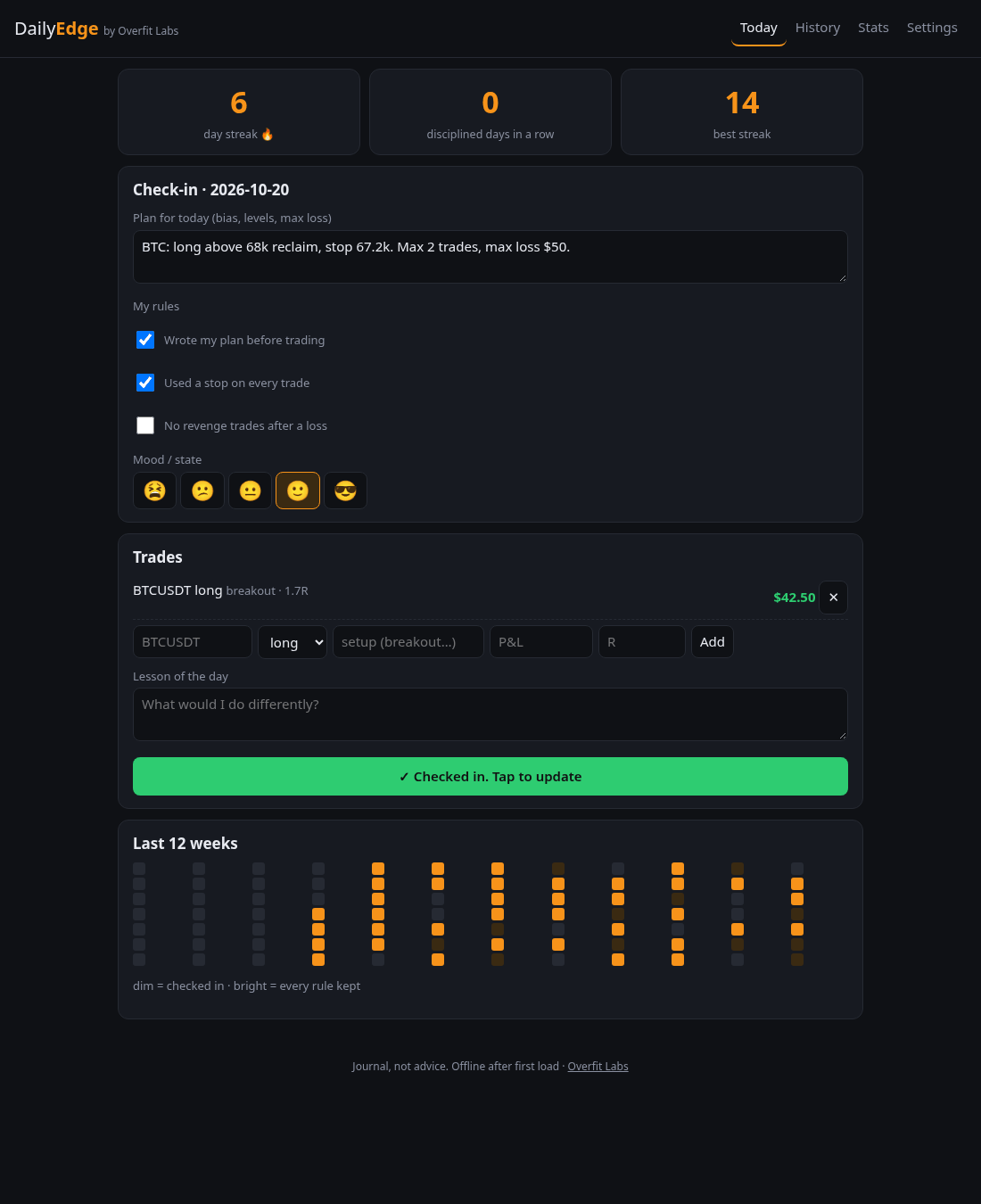
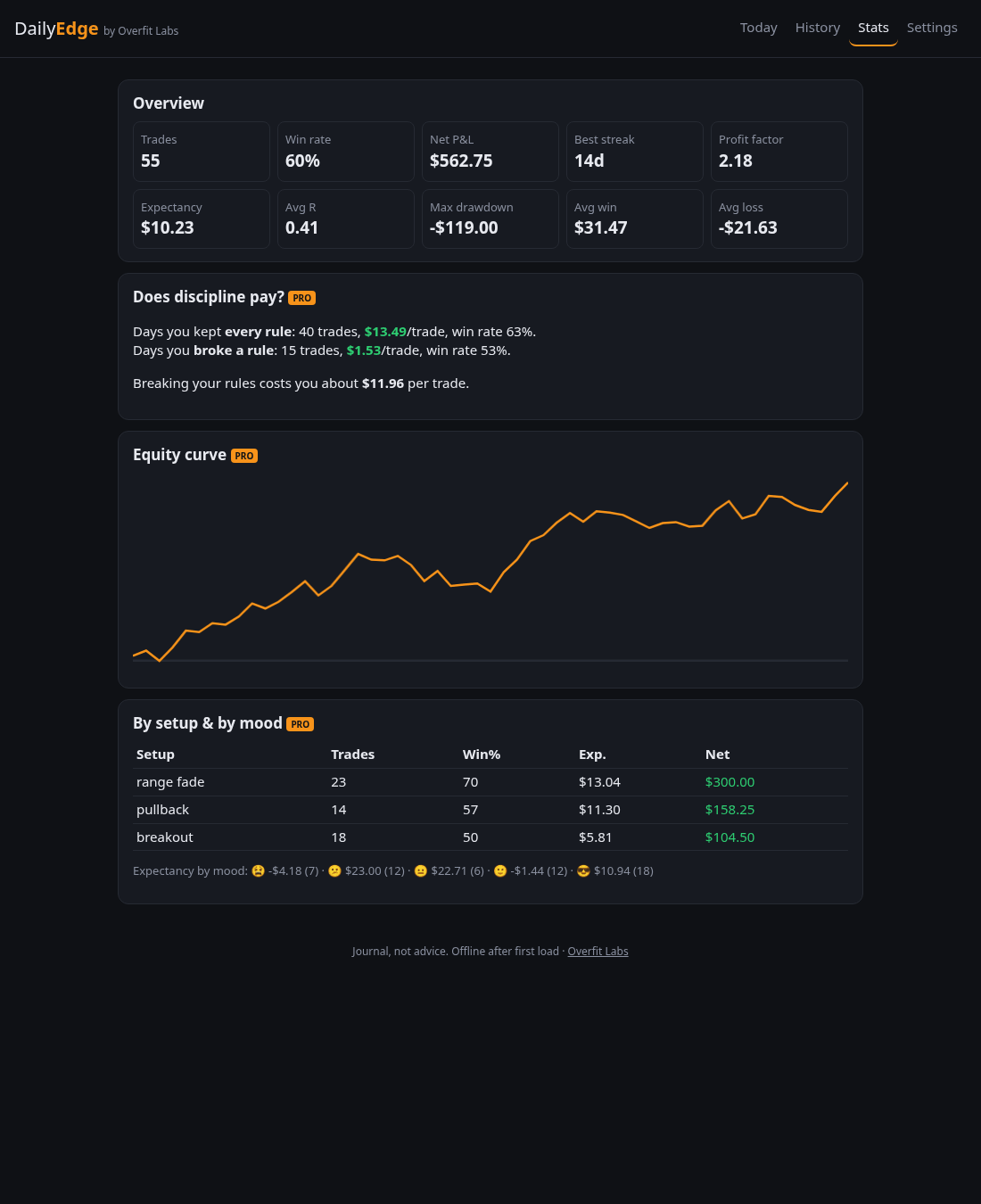
Tip: Settings → Load demo data lets you explore with sample numbers first.
📈 Charts
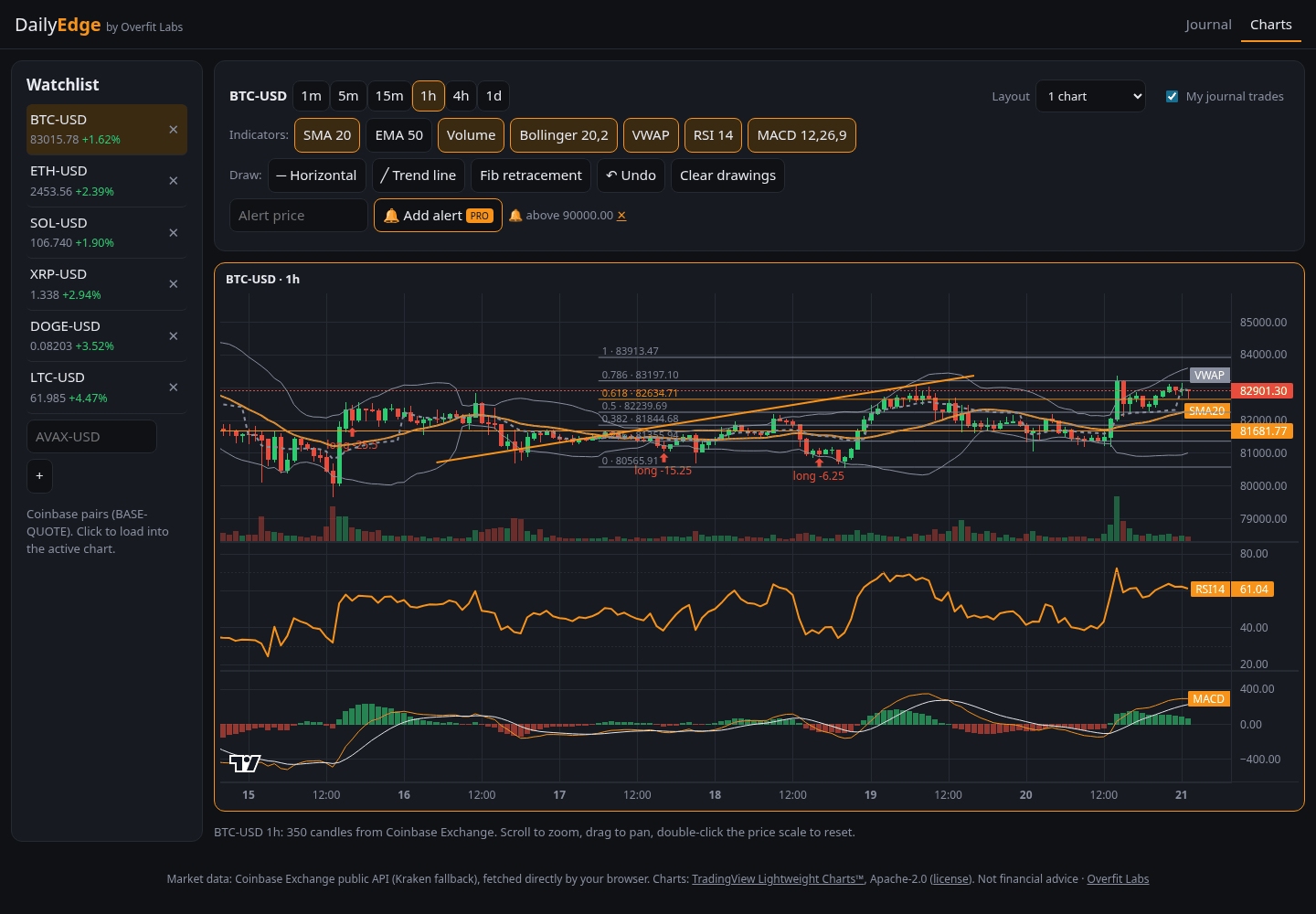
- Pick a market from the watchlist (add any Coinbase pair such as AVAX-USD) and a timeframe.
- Scroll to zoom, drag to pan, double-click the price scale to reset it.
- Toggle indicators: SMA, EMA and volume are free; Bollinger, VWAP, RSI and MACD are Pro.
- Draw: choose a tool, then click the chart (one click for a horizontal line; two for a trend line or fib).
- Tick My journal trades to see your logged trades as arrows on the candles.
- Pro: 2 or 4 charts at once and price alerts, which run while the tab is open.
🧪 Paper trading (simulated)
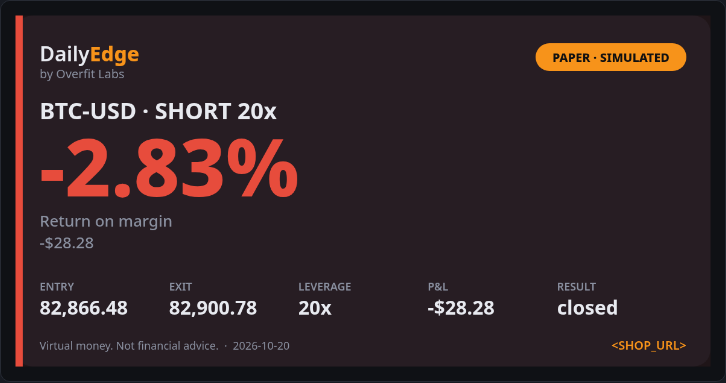
Virtual money only. Prices are live, but fills, fees, funding and liquidations are simplified models. It's practice, not financial advice.
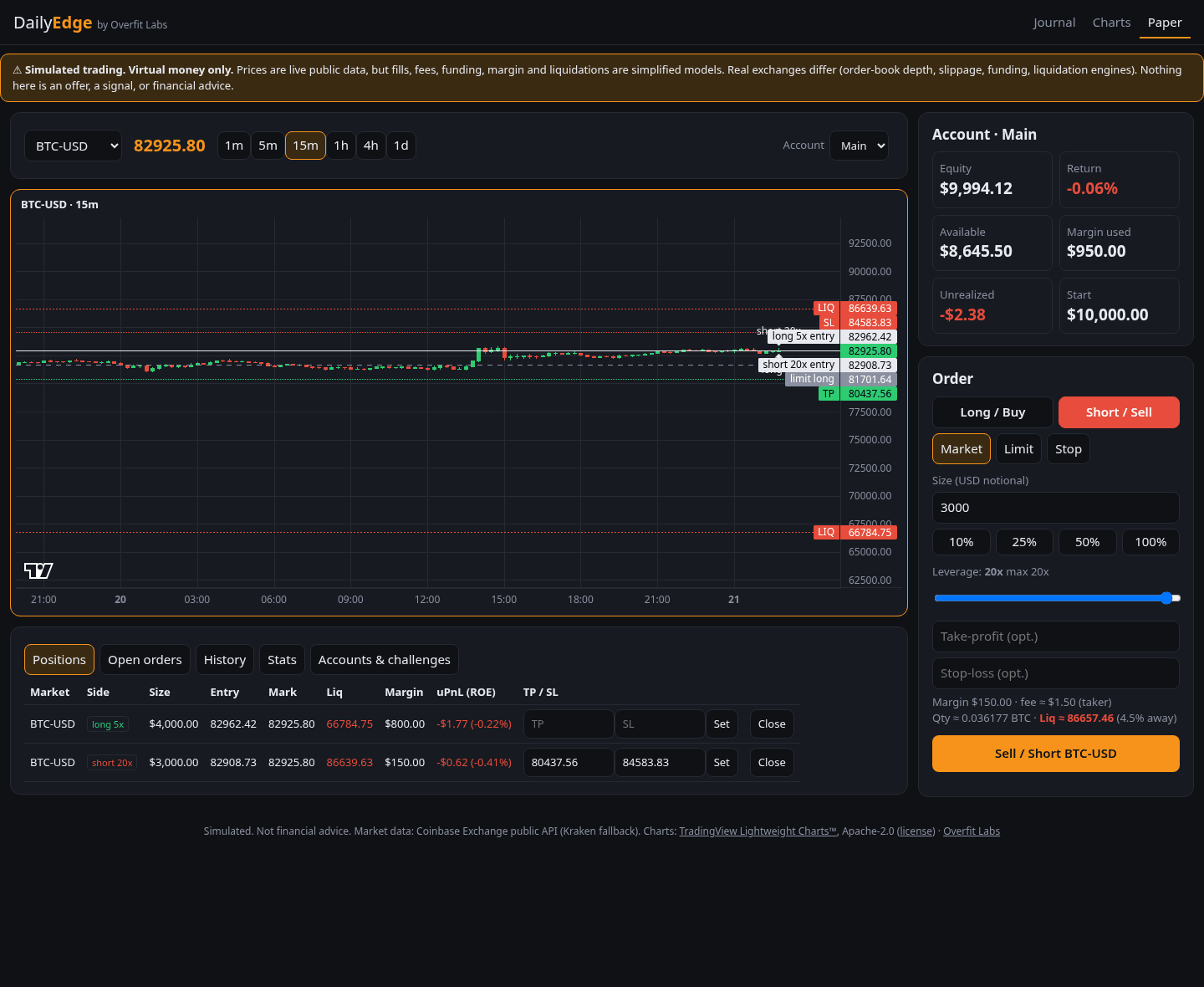
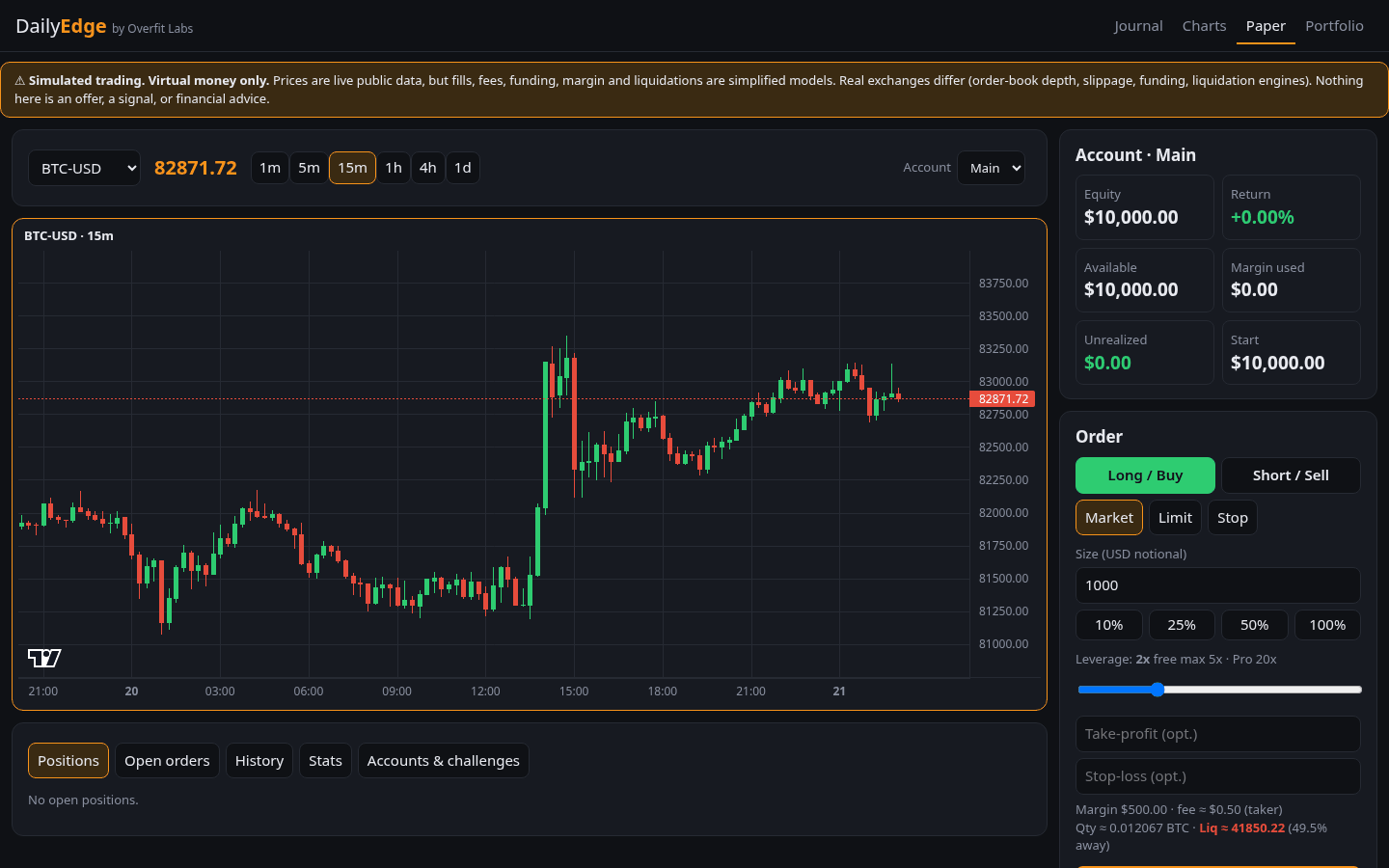
- Choose Long (profit if price rises) or Short (profit if it falls).
- Choose Market (fill now), Limit (wait for a better price) or Stop (trigger on a breakout).
- Set a size in USD and a leverage (free up to 5x, Pro up to 20x). The ticket shows your margin, fee and liquidation price. If price reaches it, you lose that position's margin.
- Optionally add a take-profit and stop-loss. Lines for entry, TP, SL and liquidation appear on the chart.
- Close positions from the Positions tab. Closed trades also land in your journal tagged PAPER, kept apart from your real stats.
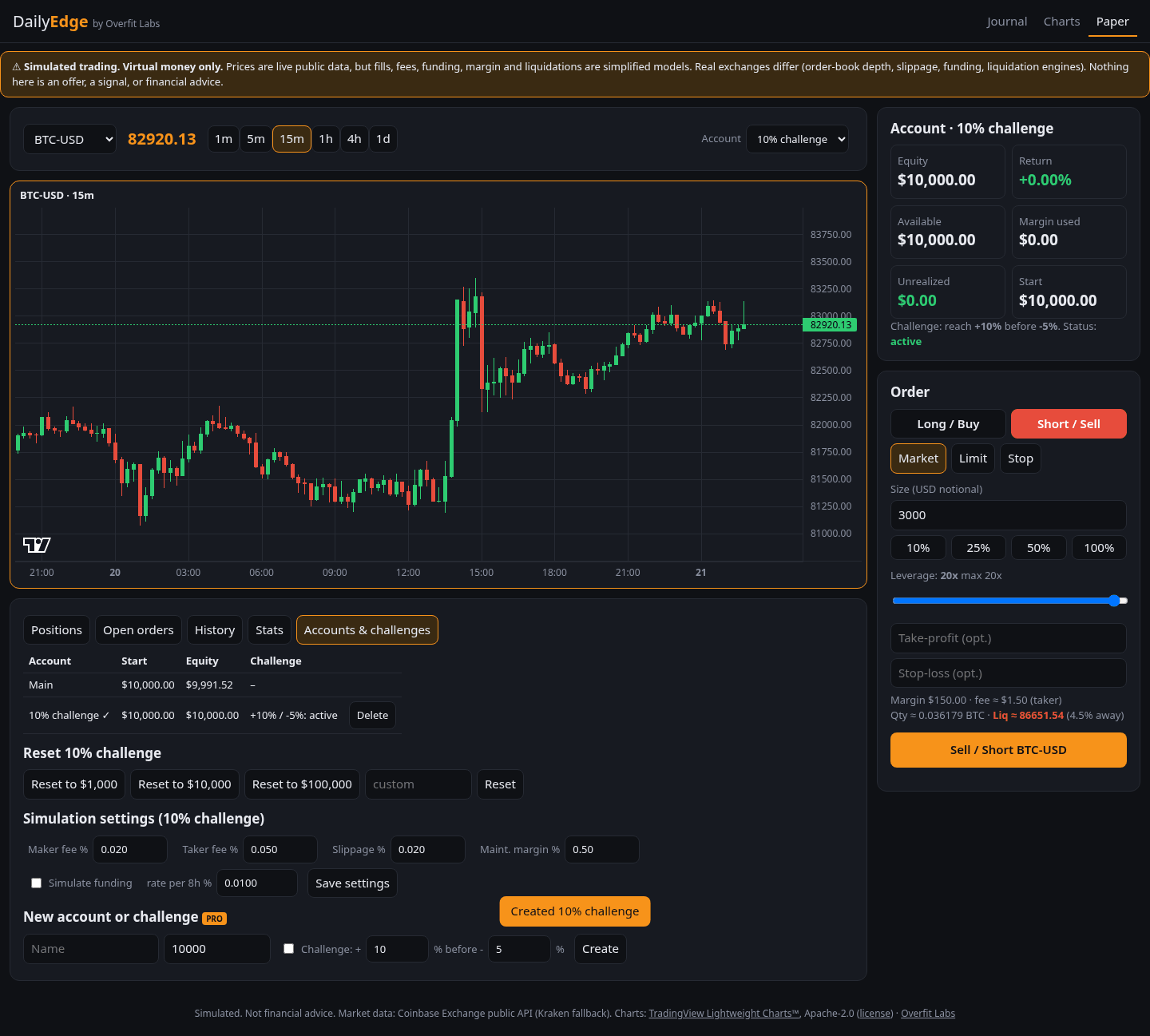
Reset an account to $1k, $10k, $100k or any amount under Accounts & challenges. Pro adds more accounts and challenges (for example +10% before −5%).
📤 Share cards & challenge links
- In History, tap Share on a closed trade. In Stats, share your account or challenge.
- Pick a style (Classic is free; Bold, Minimal and Square are Pro) and tick Hide dollar amounts to show % only.
- Download, Copy or Share… the PNG. Every card says PAPER · SIMULATED.
- In Accounts, tap Copy link on a challenge. A friend who opens it can start the same challenge in one tap.
💼 Portfolio
🔐 Never enter a seed phrase, recovery words or a private key, here or on any website. Only public addresses are needed.
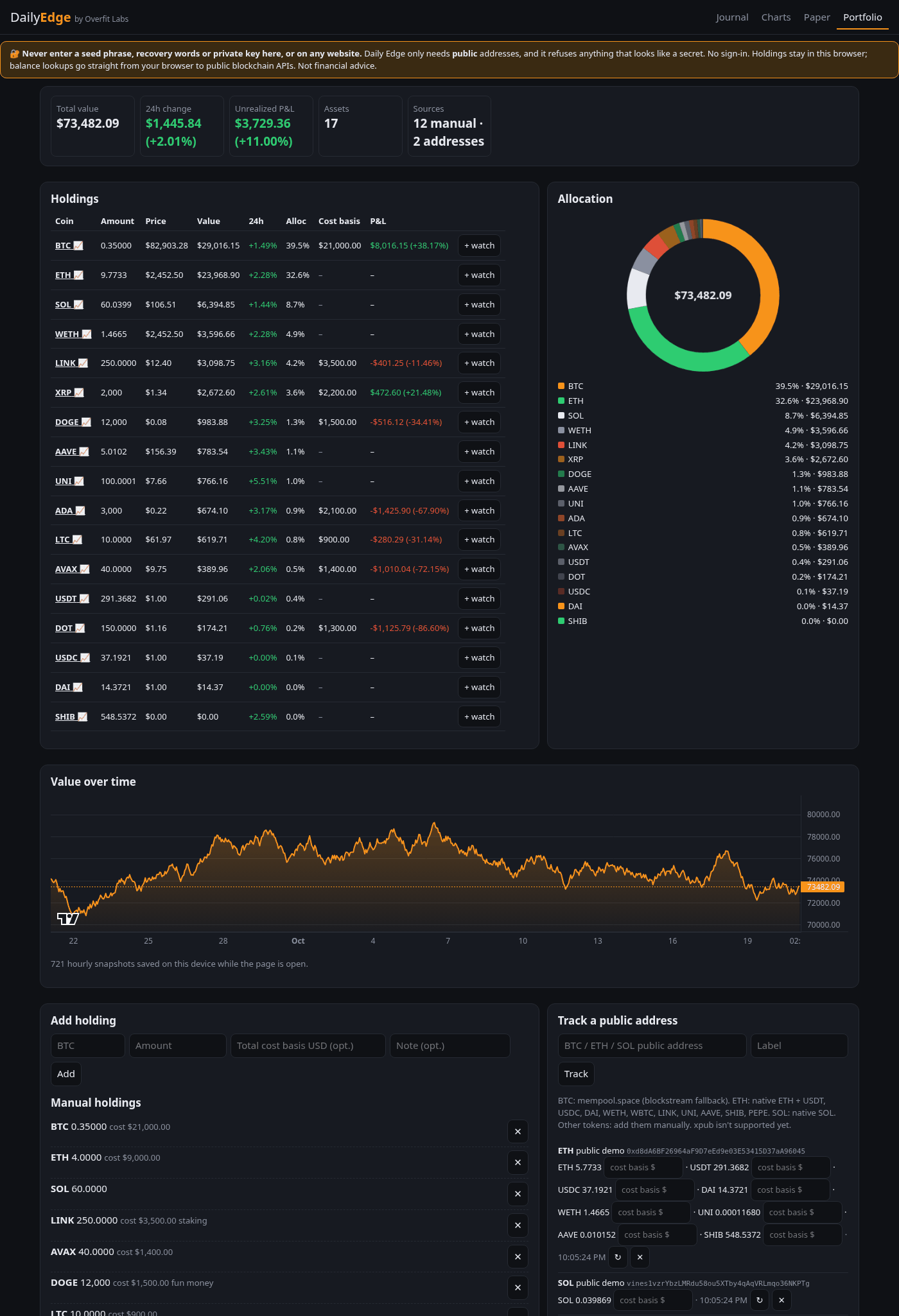
- Add a holding: coin, amount and, optionally, the total USD you paid (cost basis) to see P&L.
- Or track a public address: BTC, ETH (plus 10 major tokens) or SOL. Balances refresh every 5 minutes.
- See value, 24h change, allocation and P&L. Click a coin to open its chart, or + watch to add it to your watchlist.
- Value over time is saved hourly while the page is open (free: 24 hours; Pro: everything, plus CSV import/export).

⭐ Pro
Pro is $9 once, in bitcoin, from the shop page. After payment confirms, your license key appears on that page with an unlock button. On another device, paste the same key in Journal → Settings. Keep it safe. See the FAQ for details.
📲 Install & offline
Use your browser's Install or Add to Home Screen. After the first visit the journal works offline. Charts, paper trading and portfolio balances need internet for live prices.